





















































































Selecting a preservation approach
As with most digital preservation challenges there is no one-size-fits-all solution to the preservation of records from an EDRMS or other record keeping system. The approach that you might take to address the problem will depend on a number of different factors, including:
-
Whether the system is still in current active use
-
Whether the system is still supported
-
The level of digital preservation experience within your organisation
-
The software, tools and technological skills available to you
-
The value of the content and length of time it needs to be kept
-
Current and future users and use cases for the records
-
The preservation policies of your organization
-
The size and complexity of the challenge (and the frequency at which it arises)
-
The risks highlighted in the steps above and risk appetite of your organization
The information gathering you have carried out in the steps above will help inform any decision you make on preservation approach and next steps. A number of different courses of action could be taken
-
Transfer records to a digital archive
-
Emulate the system or application that holds the records
-
Leave in current system and manage ‘in situ’
-
Migrate records to a new record keeping system
-
Making the decision
Whilst the first two approaches are more clearly focused on digital preservation, the others, focusing on management outside of a digital archive may be appropriate decisions in some contexts. It should be noted that these four approaches are not mutually exclusive. In some cases more than one approach may be taken. For example:
-
You may plan to migrate records from a legacy system to a new records management system to facilitate current access and management as well as transferring them to a digital archive for long term preservation;
-
You may plan to manage the records ‘in situ’ for the time being, with a view to taking further preservation action at a later date (for example in response to increased risks to the records).
A presentation Tim Gollins gave at the DPC briefing day on Preserving Semi-Current Records (DPC Members login to view recording) may also be helpful in aiding decision making. In his talk, Tim focused on two options, continuing to manage the records in a record keeping system or moving them to a digital archive. He looked at how much functionality was required in the use of those records and for how long this was needed, and came up with a simple matrix to help inform decision making. Do watch the full presentation to view this matrix and hear these ideas explained in full.
'Preserving Semi-Current Records: EDRMS Task Force - Reflections' - Tim Gollins from the National Records of Scotland,
At the end of her presentation at the DPC’s EDRMS Preservation Briefing Day, Zsuzsanna Tözsér Milam described a decision tree she has developed to support decisions about whether to transfer records to a digital archive or manage in situ (Members login to view slides and presentation)
Lorna Williams from The Bank of England has blogged about their decision making process to select a preservation approach for their EDRMS.
Transfer records to a digital archive
This approach involves moving the records from the record keeping system to a digital archive. There are two variations on this approach:
-
Establishing an automated transfer process that moves the records and associated metadata from the records system to the digital archive (perhaps on a regular schedule).
-
Establishing a manual or partially automated process involving export of the records, preparation for ingest and import into the digital preservation system.
Why might you choose this approach?
There are many reasons why you may consider this to be the best approach. For example,
-
Where the records no longer need to be maintained in a system that has records management functionality
-
Where the risks of leaving the content where it is are considered to be too high
-
Where you have an institutional policy to manage all content of long term value centrally in the digital archive.
Further examples and guidance on this approach are included in the later sections of this resource.
Emulate the system or application that holds the records
Emulation involves recreating the environment required to access legacy systems and content over time. Unlike migration approaches, the original records would not be altered over time, rather, the right environment would be maintained to enable the content to be accessed in its original format. In the context of EDRMS preservation this would involve emulating the record keeping system itself and allowing users to continue to access the records within their native environment.
Why might you choose this approach?
There are a number of reasons why emulation may be a preferred approach, for example:
-
Where there is considered to be value in retaining the experience of accessing digital records within the original record keeping system.
-
Where there are features of the records themselves (for example, relationships between records, structure or metadata) that could not be adequately captured through export, or replicated in the access system associated with the digital archive.
-
Where emulation is part of the preservation strategy of the organization.
Though many archives may find this approach too technically complex (or not a viable option at scale), initiatives like Emulation-as-a-Service Infrastructure are reducing the barriers to emulation.
In a talk at the EDRMS Preservation Briefing Day, Euan Cochrane from Stabilize introduced emulation as an option for the preservation of record keeping systems. A case study was provided by Sally Vermaaten and Andrew Bowers of the Gates Archive who described how they were using emulation to work with a legacy record keeping system and shared lessons learned and future plans ‘New opportunities in whole-system preservation for EDRMSs’, a presentation at Unbroken records: A briefing day on Digital Preservation and EDRMS, 20th May 2021 (DPC members login to view the recording)
New opportunities in whole-system preservation for EDRMSs - Euan Cochrane (Stabilize), Sally Vermaaten and Andrew Bowers (Gates Archive)
Manage ‘in situ’
This approach involves leaving the records where they are (for a period of time). It is not quite the same as a ‘do nothing’ approach as it involves a careful assessment of how safe the records are currently and may lead to some changes to the current environment to give greater assurance that they can be left alone for a defined period. The tools mentioned in the ‘Risk Assessment’ section above can help both with assessing the risks to the digital records in their current location, and in defining and suggesting actions that can help mitigate some of those risks. Remember that this approach may only be temporary and you may still plan to take further preservation actions at a later date. Time taken gathering information and engaging with colleagues up to this point will have been time well spent and the knowledge gained should be retained for future reference.
Why might you choose this approach?
There are many reasons you may choose this approach but it will typically be a balance of a number of factors. Some of these factors are listed below:
-
Where a risk assessment of how safe the records are currently has revealed a situation that is considered satisfactory (taking into account the risk appetite of the organization) or where actions for reducing those risks have been highlighted and can be enacted.
-
Where the records are nearing the end of their life and are not considered to have longer term value - it may not be sensible to go through a potentially costly and time consuming transfer exercise, only to delete them from the digital archive a few years down the line.
-
Where there is digital content elsewhere within the organization at higher risk that must take precedence over these records at this point in time.
-
Where there is no digital preservation solution in place at the organization and no immediate resource to establish one.
-
Where the organizational policy sets out a decentralised approach to digital preservation with a specific focus on managing digital content ‘in situ’ where appropriate.
In a talk at the EDRMS Preservation Briefing Day, Esther Maes from TU Delft presented a short case study on their decentralised approach to the preservation of records, focusing on conversations with system owners and a methodology for assessing risk. ‘Decentralized archiving of records at TU Delft’, a presentation at Unbroken records: A briefing day on Digital Preservation and EDRMS, 20th May 2021 (DPC members login to view the recording).
Decentralized archiving of records at TU Delft - Esther Maes (TU Delft)
Migrate records to a new record keeping system
This approach involves migrating the records to a new record keeping system to continue their active life. Though not a preservation action as such, this work should very much be carried out with preservation in mind if assessment of the records in earlier stages of this process has demonstrated that the system holds content of long term value.
Why might you choose this approach?
You may choose this approach in the following circumstances:
-
Where the records are still in active use or still being actively updated and records management functionality is still required.
-
Where the software holding the records is coming to the end of its life or a support contract no longer exists.
-
Where the digital archive is unable to provide the required management or access to the content.
If the records have long term value it is important that preservation considerations are taken into account during the process of migrating to a new record keeping system. Important features of the records, including their context and metadata must be maintained so that it can be captured and preserved at a later date. Note also that documentation should be kept of the system migration as this will be helpful in informing future preservation work.
The National Archives UK provides a useful guide to Migrating Information between Records Management Systems including a section on defining digital continuity requirements.
Though it may be colleagues who will lead this piece of work to select and implement a new system, you are in a good position to influence this work and ensure that digital preservation considerations are taken into account, both in decisions made and in the configuration of the new system. The metadata section [link to metadata work] and some of the lists of questions included within this toolkit may be helpful in highlighting some of the features, functionality and metadata requirements required to facilitate future preservation of the records.
Assessing the risks
Once you have gained a good understanding of both the system, the content and the records management processes and procedures that are in place, you may find it helpful to assess the current risks to the digital content within the record keeping system. Some of the information you have gathered in previous steps may already have given you an indication of risk, and you may already have enough evidence to make a decision on preservation approach and to back up these recommendations. There are however tools and models that you can use which will help you to better understand and communicate some of these risks. Doing so may help you to:
-
Reach a decision on the best preservation approach to take
-
Understand how urgently you should take action
-
Provide evidence to back up your case for action
-
Develop shorter term mitigations to help manage risks
There is no single risk assessment tool suitable for assessing digital content in record keeping systems specifically, though there are methodologies in use more generally for assessing digital preservation competency and risk. Some tools and models that you may want to consider are described below but this is not an exhaustive list. You may prefer to select one that your organisation is already familiar with. Tests by members of the EDRMS Preservation Task Force suggest that there may be a benefit in trying out a combination of the methodologies listed below. Combined, these methodologies can provide a really clear understanding of the risks and help to frame and evidence the case for action.
Note that it can be particularly helpful to be able to compare the assessment of the record keeping system with an assessment of the digital archive. This gives a quick and easy understanding of how much risk can be mitigated by moving the digital content to the archive. In particular, a comparison like this is helpful to show colleagues who are not as familiar with digital preservation and may not have a clear understanding of how a record keeping system differs from a digital preservation system.
A postgraduate dissertation from Zsuzsanna Tözsér Milam investigates the use of models such as the NDSA Levels of Preservation (version 1) for assessing the risk to content in an EDRMS, using the European Central Bank as a case study: Digital preservation - Requirements for preserving authentic, reliable and usable records in an EDRMS over the long term: A case study (2014).
DiAGRAM tool (the Digital Archives Graphical Risk Assessment Model)
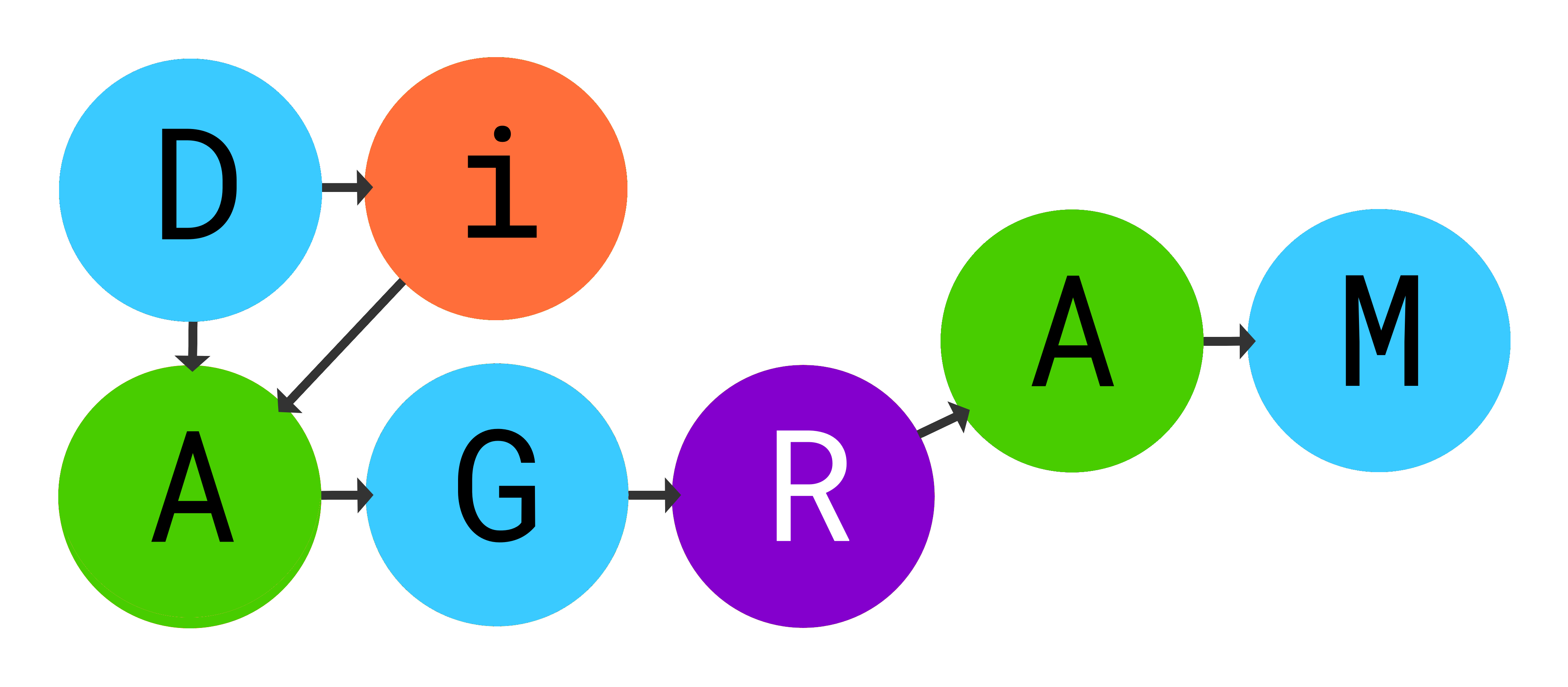 |
The Digital Archives Graphical Risk Assessment Model (or DiAGRAM) tool was created by The National Archives UK and the University of Warwick as an output of the ‘Safeguarding the Nation’s Digital Memory’ project in 2020. The DiAGRAM tool has specifically been designed to help organizations understand and quantify digital preservation risks and to use this information to facilitate evidence-based decision making. The tool takes users through a set of questions which need to be answered in order to produce a visualisation of results and risk score. A score is given for the two main nodes of the underlying model:
|
DiAGRAM provides a helpful way of assessing and quantifying risk to content within a record keeping system. There are various ways it can be used as described below. Modeling the current situation is the obvious first step but further models can be created to explore other scenarios:
-
Model the current situation (records within the record keeping system): use DiAGRAM to assess risk to content within the record keeping system if it is left as is.
-
Model the digital archive: use DiAGRAM to model risks to content within the digital archive (assuming you have one in place). This gives a useful point of comparison to the scores obtained in the step above and allows you to see how much risk could be mitigated by transferring content to the digital archive.
-
Model a future scenario: use DiAGRAM to make changes to your initial model, considering the changes you could put in place to reduce risks to the digital content within the record keeping system. This step can be repeated as many times as is appropriate to explore numerous risk mitigations.
The DiAGRAM tool is freely available to use. It has been created in the first instance for a UK audience but may still be relevant and helpful to those outside the UK. Some initial preparatory work is required before using the tool itself. Users are encouraged to download the questions before using the model in order to ensure all relevant information has been gathered. It should also be noted that the DiAGRAM tool requires users to have completed some sections of the NDSA Levels of Preservation and DPC RAM so that this information can be incorporated into the model.
The DiAGRAM tool is user-friendly but adequate time should be set aside to use it. Users report that the most challenging aspect of the tool is finding accurate answers to the questions to input into the model. Time should be spent talking to colleagues in IT and other sections to find out the answers, but the groundwork carried out in earlier steps of this process and lines of communication that have been set up will be invaluable in moving things forward.
It should be noted that the DiAGRAM tool does not cover all possible risks to digital content and therefore should not be used as the only input to inform decision making. It does not include, for example, questions around vendor support or the risks of continuing to store records in a legacy system.
NDSA Levels of Preservation
The NDSA Levels of Preservation is a well-established and widely used tool for rapidly assessing digital preservation capabilities. Focusing on the technical aspects of digital preservation, it consists of a simple grid covering five key areas of digital preservation (storage, integrity, control, metadata, content). For each of these areas, an organization simply needs to define which level they are working at, using the prompts that are included within the model. The Levels are quick and easy to use and a spreadsheet tool is available to record and visualise results. The tool and associated documentation are available here: https://osf.io/m2fek/
The NDSA Levels have been designed to measure digital content that is already in a digital archive, but particularly with the latest revision to the Levels (2019) it is possible to use it as a means to assess content that resides elsewhere. Tests by the EDRMS Preservation Task Force showed that the Levels could be used to assess content within a record keeping system though it was noted that not all areas of the Levels were applicable outside of a digital archive (in particular where standard ingest procedures such as the use of write blockers and virus checking on ingest were directly referenced). Tests of using the Levels in this context demonstrated that it was possible to score relatively high on the ‘Control’ row, as many record keeping systems do this well. The ‘Content’ row (which focuses on understanding and maintaining the content over time) tended to score lower as this is not an area that is typically covered by record keeping systems.
DPC RAM
 |
DPC’s Rapid Assessment Model (DPC RAM) is a maturity model for digital preservation. Specifically designed to assess the digital preservation capabilities of an organization it covers 11 areas and includes both organizational capabilities (such as organizational viability, policy and strategy, IT capability) and service capabilities (such as bitstream preservation, content preservation, metadata management). Like the NDSA Levels of Preservation it is focused on measuring digital preservation capabilities and has not been designed to enable the assessment of content that resides in a system outside of the digital archive. It is included here for two reasons. |
-
Firstly the DiAGRAM tool (above) requires the user to enter a score for the ‘Content preservation’ and ‘Metadata management’ sections of DPC RAM. Even if you do not feel it is appropriate to carry out a full assessment using DPC RAM, you will need to think about these two sections when using the DiAGRAM tool.
-
Secondly if you are already using DPC RAM to monitor your digital preservation maturity over time, you may find it helpful to assess the records in the record keeping system as another stream of content using just the five Service Capabilities of RAM. This could provide a good point of comparison to your known digital preservation capabilities and may provide a constructive way of talking about the differences between the functionality of a record keeping system and a digital archive with colleagues.
Understanding the metadata
|
“One of the main areas to think about is metadata. It is important to consider this from the start. If migrating into a new EDRMS it is important that you don’t lose or corrupt metadata which could provide important context. It’s also important to think about how you are going to export metadata when moving to another EDRMS or to be preserved in a digital archive.“ Paul Young, The National Archives UK |
Spend some time investigating the metadata that is stored alongside the records in the record keeping system. Note that it may not be immediately obvious what metadata exists - some of it may only be available to certain users, or may only be available in the back end. It is advisable to carry out some research to fully understand what is stored within the system and how you might access this. Carrying out a test export of records and their metadata may be helpful. Note that some metadata fields may not be included within a standard export - for example, an EDRMS may store a checksum for a digital object but this may be held behind the scenes and not made accessible to users. Talk to those who develop, support, configure the system to find out more about metadata and export capabilities. Find out whether the system automates the completion of some metadata or has mandatory fields which a user must complete. If the onus is on the creator to complete certain fields, are there conventions to follow and is there compliance? Assess the accuracy of metadata and the impact of errors e.g. spelling mistakes, which may affect the accuracy of searches that you carry out when trying to discover records for export. |
The EDRMS Preservation Task Force discussed and defined a set of metadata fields that may be captured from a record keeping system in order to preserve the records, their meaning and context. This work took as its starting point a draft minimum metadata set shared with us by Kyle Browness from Library and Archives Canada. There was discussion about whether to assign a priority rating to metadata fields (e.g. optional/recommended/mandatory) but it was recognised that different organizations working in different contexts may not require the same fields. It was agreed instead to include information on the rationale for capturing certain types of metadata, as this will help users of this resource to consider whether a field is required in their context or not. Different functionality within record keeping systems and differences in local implementation and configuration also mean a one-size-fits-all approach is not appropriate. Note too that additional factors which need to be considered in decision making include:
-
Does the record keeping system capture/store this information?
-
Can this information be extracted from the record keeping system?
-
Can this information be stored within the digital archive?
Hugh Campbell from Public Record Office of Northern Ireland (PRONI) discusses their approach to metadata in this case study. He notes some of the decisions that were made about which metadata fields to keep and some challenges that have been faced, as well as sharing their metadata template.
In a talk at the EDRMS Preservation Briefing Day in May 2021, Kevin De Vorsey and Bethany Cron from NARA presented on ‘Federal Electronic Records Modernization Initiative : lessons learned in electronic records preservation’. Their presentation gave an overview of work to ensure that the records they receive from federal departments are suitable for preservation, including guidance relating to metadata (Members login to view the presentation).
Federal Electronic Records Modernization Initiative : lessons learned in electronic records preservation - Kevin De Vorsey and Bethany Cron (NARA)
Understanding the digital objects
|
It is important to gather information about the individual files or digital objects that make up the records. This will help inform your preservation work and will enable you to flag some of the more specific preservation challenges you face. Depending on the record keeping system in use, there may be no easy way to gather the necessary information. Ideally you would be able to run a tool such as DROID across the contents of the record keeping system to characterise the files and gain an understanding of the content, but depending on how the digital objects are stored, this will not always be possible. You may alternatively be able to find out about the digital objects from metadata that is held within the system itself, or by asking questions to users and administrators of the system. Gather what information you can but accept the fact that you may not be able to gain a full and clear understanding of the situation until the records have been exported and are held outside of the system. |
“EDRMSs do not have digital preservation built into them, even though long-term temporary records need to be kept for 75+ years. In Australia we point agencies to sustainable formats that have the best chance of remaining accessible over time, but the business needs of agencies may require, in particular cases, formats that aren’t sustainable in the long term.” James Doig, National Archives of Australia |
File formats
Try to establish which file formats are included within the system. Are there any restrictions on formats that a user can create and/or upload or are users able to save records in whatever format they like? If you are unable to run file identification tools over the records stored within the system, find out if the system metadata includes any potentially useful information such as MIME type or file extension.
Complex records
Find out whether the system includes complex records that consist of multiple digital objects - for example, a webpage, an email with attachments or a geospatial record consisting of multiple files. If this is the case you will need to be particularly careful that your preservation methodology maintains the relationships between the files and their metadata and be prepared to test and check that they are captured and preserved satisfactorily.
File migrations
Find out whether any file format migrations have been carried out within the system and if so, whether details have been logged. Most record keeping systems won’t carry out file format migration but some examples have been noted of systems creating PDF versions of documents or altering the file format of emails. If file formats have been changed within the system, find out whether this is recorded or logged anywhere and whether this information can be extracted alongside the records.
Legacy formats
Find out when the digital objects were created or last modified? Have they been accessed recently? Again, some of this information can be gathered using characterisation tools such as DROID, though you may find that more detailed audit logs are available within the system metadata. Perhaps your investigations and conversations up to this point will have highlighted problems in accessing records of a certain age or held in legacy file formats, and this information will help you further understand risks and challenges related to specific records.
Use the information that you have gathered to better understand some of the preservation risks to the content and to gain a basic understanding of additional preservation actions you may need to take once you have these files in the digital archive.
In his case study from the National Archives of Australia, James Doig stresses the importance of gaining this understanding of the digital objects prior to transfer in order to flag up and understand some of the issues that you will encounter.
Understanding the records and the processes that created them
|
“I think the main principle I will take from this work is the significance of robust records/information management practices. Record keeping strategies and policies and the retention triggers that can be built in to an EDRMS can, in the long run, streamline preservation activities. Activities such as transfer and ingest to a preservation system, can be time consuming (depending on the workflows in place), so ways to streamline or automate actions will help in the long run.” Nicola Steele, Grosvenor Estates |
Different record keeping systems facilitate different ways to manage records and these systems may be configured in different ways to fit organisational needs. Gather information about how the records have been managed, described and stored and what processes and procedures are in place. Finding the right people to talk to and ask questions of is key to moving forward. The questions you ask can also be usefully supplemented by reading relevant information management and data governance policy and procedure documents in order to understand how users of the system are encouraged to work.
|
“Even though EDRMSs usually have (by definition) disposal and appraisal functionality built into them, it is still very much a manual and resource-intensive process to determine archival value records, export them, and transfer them to the archive. Current and future work must look at automating value determinations through machine learning and AI techniques." James Doig, National Archives of Australia |
One of the biggest preservation challenges you may face is establishing which records are of long-term value and should be preserved, but if the system and procedures for using it have been well managed, you may find this problem has already been solved. It is worth spending time understanding how this has been applied to establish whether any additional appraisal work is needed prior to preservation.
If documents are not managed in such a formal way, for example they are shared across platforms in Microsoft Office 365, analysis for preservation is harder and you will need to consider how you identify and safeguard the records of long-term or permanent value.
Some record keeping systems allow sensitivity classifications to be applied to documents. Find out who has applied them and whether they have been used accurately and consistently. Consider whether your preservation approach is suitable for all classifications of sensitivity or whether certain classes of record will need to remain within the system.
|
“It is not always clear what the ‘record’ is in an EDRMS. Agencies create systems to meet their often unique business requirements and while it may be understood that their contents contain permanent records that will eventually be transferred out, they may also contain information that is not appropriate for transfer. It is a laborious process to pick through a complex system to determine which bits are really of interest.“ Kevin De Vorsey, National Archives and Records Administration |
This section includes further questions to help identify the records management processes in place and what impact they will have on the records and metadata that reside in the system.
Questions to ask include:
|
Understanding the technical infrastructure
You will need to take some time to understand the nature of the system or application in which the records are held. Note that some of the key contacts you have highlighted in the step above will be invaluable in answering all the many questions you will have. Gaining an understanding of the technical infrastructure in place will be invaluable when you start to consider preservation approaches but will also help with assessing risks to the content as mentioned in a later step of this process.
The questions you will need to ask include:
|
Make sure you document the answers to these questions and keep copies of any relevant documentation and system information you gather.
You may also want to start asking questions about export options, finding out about how records (and metadata) can be extracted from the system. Some detailed questions are included below. As noted above, this is not a linear process and you may want to hold fire on some of these questions until you have a clearer idea of the risk and your preservation approach.
Ideally, the record keeping system should include a means of exporting the records and associated metadata from the system in a practical, configurable and comprehensive manner. Unfortunately, some systems have limited options and functionality for export and this important requirement is not always seen as a priority at the point of procurement. Off-the-shelf systems often provide limited export options, while custom installations may lack export functionality altogether requiring that a programmer be engaged to extract records and associated information from whatever underlying database was used.
Questions related to export include:
|
Gathering the right team
|
A complex digital preservation challenge such as this cannot be solved by one person so it is important to ensure you involve the right people from your organization (and beyond) to help you to move forward. Advocacy and communication is always important in digital preservation initiatives but particularly so where a range of different skills and resources are needed to solve a complex problem. Building relationships with the key people you need engagement from at an early stage will help you to make progress. Remember also that communication will need to be a two-way process: |
“One of the most valuable things that you can do is talk to people. Sharing experiences with other information professionals who are ahead, at the same stage and following close behind you in your EDRMS preservation journey is key. Before you get started you need to speak to people within your own organisation to make sure that you can draw on their expertise, and also to advocate for the important work that you’re doing. Gather a good team of people to support the work.” Emma Yan, University of Glasgow |
-
You will need to gather a lot of information from colleagues in order to build a complete picture of the challenge and move towards an appropriate solution. The lists of questions included over the next steps will provide a useful starting point.
-
Equally important is the information you will share with colleagues about digital preservation. Ensuring that everyone understands why this work needs to take place will also help you to make progress. Having your high level overview or ‘elevator pitch’ (prepared in the step above) to hand will help! See also the DPC’s Executive Guide on Digital Preservation which may be helpful in crafting more generic messages about the importance of digital preservation.
In her talk at the EDRMS Preservation Briefing Day, Emma Yan from the University of Glasgow stresses the importance of gathering the right people together at an early stage of scoping this preservation work - ‘EDRMS preservation at University of Glasgow – where do we begin?’, a presentation at Unbroken records: A briefing day on Digital Preservation and EDRMS, 20th May 2021 (DPC members login to view the recording).
EDRMS preservation at University of Glasgow – where do we begin? - Emma Yan (University of Glasgow)
Kyle Browness from Library and Archives Canada gave a talk at the DPC’s Connecting the Bits unconference event in June 2020 entitled ‘The challenges and lessons of processing records from an EDRMS‘. He talked about how the right team (and skillset) was assembled to work on the challenge (DPC members login to view the recording).
Internal stakeholdersConsider who you need to engage with in your organization. This will vary depending on the type of organization you work in, but the table below may help define those role holders with useful skills that you may need to talk to. If you are unsure which of these are relevant, the following questions may also help you to consider who your key stakeholders are: |
“Before planning any work on transfer of records either between systems or to a preservation environment there is likely to be a great deal of advocacy and communications work needed.” Rachel MacGregor, University of Warwick |
-
Who set up the system?
-
Who provides ongoing support?
-
Who administers the system?
-
Who can make changes to the system?
-
Who can use the system?
-
Who takes decisions about records in the system?
-
Who has current responsibility or ownership for the records?
-
Who will have responsibility for the records in the future?
-
Who do you need to persuade to support or sponsor your preservation work?
| Who? | Why? |
|
Senior management |
Sign off of resources, project sponsorship, procurement of technology or services related to the work and allocation of staff time. |
|
IT staff with responsibility for record keeping software |
Help with technical questions on the configuration and export capabilities of the record keeping system. |
|
IT software staff |
Where new software or tools are required as part of this work (for example a new digital archive, record keeping system or a tool to help automate part of the transfer or ingest process). |
|
IT security staff |
Where integration is needed that goes through organisational firewalls. |
|
EDRMS/records administrators |
To ensure compliance/culture e.g. in metadata completion, for training of users, appraisal of records |
|
Creators or owners of the records |
Knowledge on creation of content and metadata and appraisal of records |
|
Records Management Team |
Owners of records strategy/policy and responsible for content and metadata |
|
Data protection team |
Their input may be necessary if records are to be transferred and stored in cloud |
|
Freedom of Information team |
They may have an interest in discoverability and access in the record keeping system and digital archive |
|
Archive Team |
Can provide input on procurement and configuration, document and records management policy, appraisal of records, requirements for a digital archive and digital preservation |
|
Legal Team |
Can be involved in procurement of record keeping and digital preservation systems, requirements for legal holds, sign off of transfer of classified records, contracts for third party tools etc |
|
Procurement Team |
Some factors affecting preservation methodologies will be decided at requirements setting phase of procurement, e.g. export options, integration. |
|
Technical Architect |
Help with business case, requirements and procurement of systems |
|
Business analyst |
Support with process, requirements and communications between stakeholders |
|
Project Manager |
Support with project management |
External partiesAlongside your internal stakeholders you may also find it beneficial to liaise with external parties such as those listed below. |
"Rather than try to learn all about digital preservation and EDRMS at the requirements setting stage (for a digital archive), get an expert or consultant in that has experience of writing requirements for this very thing. I think this would have saved a lot of time and effort and the end result would probably have been better, potentially leading to a better solution. The financial cost would no doubt be saved in the long run.” Lorna Williams, Bank of England |
| Who? | Why? |
|
EDRMS supplier |
The supplier of your record keeping system will be able to help with configuration of the system and provide advice on the technicalities of export and/or transfer. |
|
Digital archive supplier |
You may want to talk to the supplier of your digital preservation system for advice and support. They will likely have experience at importing batches of records from a record keeping system and should also be able to advise on integration between your digital preservation system and record keeping system (where appropriate). |
|
Digital preservation trainers/consultants |
Consider whether you and/or other staff have the required skills and time to carry out this work. If not, you may find it helpful to seek out specific digital preservation training opportunities or recruit a consultant to provide advice. |
|
Other organizations using the same systems or facing similar challenges |
There is much benefit to be had from talking to others who are working in the same space as you. Either those organizations with a similar remit and/or context, or those who are using the same record keeping and/or digital preservation systems as you. |
|
Wider digital preservation community networks |
Digital preservation is a global challenge and there are many organisations within and outside of the DPC who will be interested to hear about your work and will have useful experiences of their own to share. |
Once you have identified who you need to involve, take some time to consider when you will involve them and to what extent. Do you just need to have a quick chat with them or are they key stakeholders that you will need to keep in touch with on a regular basis? Establish a plan for how you will keep them up to date with the work you are doing. You may find it helpful to establish a formal project with scheduled meetings or a forum to report to, ensuring you have a regular platform to ask questions, report on progress and keep people informed.
Understanding the problem
Before making progress with any digital preservation challenge it is essential to gain an overview of the problem you are trying to solve - what exactly is it that you are trying to preserve and why? An initial high level scoping exercise should be carried out to give you an overview of the record keeping system that you are dealing with, the types of record that it contains, the value of the content and the important characteristics that must be preserved. Some of this will be obvious to you, but it is worth documenting what you are doing and why at a high level. Further stages of this process will take you deep down into the details of the challenge and it may be helpful to be able to step back and remind yourself of the high level task that you set out to achieve. Having this information at your fingertips will also be handy when talking to colleagues and could even form the basis of a quick ‘elevator pitch’ that describes what you are doing and why.
The following high level questions can be used to help articulate what you are trying to achieve:
-
What - what needs to be preserved? Note that within a record keeping system, there may be a mix of records and not all will need to be preserved for the long term.
-
Where - where are the records stored currently? Where do they need to go?
-
Why - why does this work need to be carried out? What is the value of the content? What are the implications if the records are lost?
-
When - when does this work need to be carried out? Is there a date that the system will be decommissioned or become unsupported?
-
Who - who owns the record keeping system? Is it an internal system or one that you are accepting from an external donor or depositor? Who needs to access the records (both now and in the future)? What will they use the records for?
-
How - how will users find the records they need? How will they access those records?
The preservation process
Introduction
Preserving content from a record keeping system is a complex and challenging process involving many stakeholders. Below is a series of steps that you will need to work through in order to carry out the task. Note that these steps are presented as a guide only and do not necessarily define a linear structure. Do work through them in an order that makes sense to you. There is inevitably some overlap between some of the initial steps which are focused on fact finding. These steps are designed to help you understand the challenge before moving towards a solution and in reality, some of these will run in parallel as you locate the right people to answer your questions and begin your investigations.
It should be noted that this is a complex process typically involving multiple stakeholders and different technologies. It may take a period of several years to move through this process towards a satisfactory preservation outcome. Use the points below to help you start to map out the process and put in place a plan to work through the issues. It is likely that some of the steps will need to be revisited more than once as the landscape changes. Records Management and digital preservation are ongoing tasks which are best implemented as part of an ongoing cycle of work.
-
Understanding the problem - get a high level overview of the problem you are trying to solve.
-
Gathering the right team - establish which people, both within and outside of your organization, you will need to talk to to move forward.
-
Understanding the technical infrastructure - understand the system in which the records are currently stored and how it is maintained and supported.
-
Understanding the records and the processes which created them - understand how the records have been created, managed and stored.
-
Understanding the digital objects - understand the individual files or digital objects to be preserved.
-
Understanding the metadata - understand the metadata that is associated with the records
-
Assessing the risks - understand the risks of leaving records within the record keeping system.
-
Selecting a preservation approach - decide on which preservation approach to take.
-
Making the case - make the case to carry out preservation actions.
-
Taking action - carry out the planned preservation work.
-
Processing the lessons learned - consider how to share and act on any lessons learned.
Preservation challenges
Some of the key challenges relating to the preservation of records from an EDRMS or other record keeping system are articulated below:
No one-size-fits-all solution
There isn’t a single simple approach to the preservation of records. If you are looking for a quick fix you are unlikely to find it in this resource! There are many record keeping systems available and numerous ways that institutions can configure and use a system. There are also numerous different approaches to digital preservation. The fact that different organizations tend to have different systems, different records management policies and different priorities leads to variations in how the preservation challenge will be tackled.
Preservation at scale
Within a single record keeping system an organization may have tens of thousands of records and a proportion of these may need to be preserved for the long term. Some organizations will have more than one record keeping system they need to turn their attention to (perhaps including legacy systems). Any other challenges associated with preservation are magnified when attempting operations such as this at scale and this can be daunting.
Understanding how the system works and is used
Like so many digital preservation tasks, it is hard to move forward without really understanding what you are trying to preserve. It is important to work with relevant stakeholders to understand the record keeping system and how it is used. As is evidenced by this resource, a substantial amount of background work is required before preservation action can happen. Much of this resource therefore consists of lists of questions that you will need to ask in order to find out more.
Knowing which records to keep
A records retention schedule is invaluable for establishing which records need to be kept for the long term, who is responsible for them and what actions should be taken on them (retain/transfer/destroy). In an ideal world these retention periods are built into or mapped to the record keeping system in use, allowing reports and queries to be created to inform the preservation process, but this will not always be the case. In some situations a more manual process will be required to establish how long records need to be retained, and therefore which require long-term preservation. In addition, system configuration can result in issues relating to records accessibility, for example security settings within the record keeping system may mean some content is difficult or impossible to access, while some business systems may overwrite or delete metadata or audit files after a set period of time.
Knowing which version to keep
A record keeping system may keep multiple versions of the same record but the retention schedule may not go into this level of detail regarding which version/s to preserve. This situation can be further complicated when an organization keeps records in a mixture of analogue and digital formats. In some cases, the master version of a record may be a document that has since been printed out and physically signed, in which case, the original digital record may no longer be important. Decisions made on which version to keep should take into account how the record keeping system handles versions, what procedures are in place for creating versions and how record creators behave. Records and their versions need to be understood in context. For some organizations it may be logical to implement a policy to retain only the final version of a record. In other situations, users of the system may be able to flag up other versions that need to be preserved. It should be noted that the context of the organization and the records is important here - draft versions can be important legal or historical documents and should be assessed carefully.
Assessing the content - file formats
It can be a challenge to get an overview of exactly what is in a record keeping system. Unfortunately it is often not possible to get an accurate report on file formats. File format identification within a record keeping system such as an EDRMS typically looks only at MIME type or file extension and it is not always possible to run DROID or other file format identification tools over the content until it has been extracted out of the system. For planning purposes, a digital archivist may prefer to have that information at an earlier stage of the process.
Metadata - too much or too little?
The record keeping system may store lots of metadata, often in accordance with jurisdictional or international standards. This is clearly a good thing from a digital preservation perspective, but also brings challenges. It may not be straightforward to understand the different metadata fields and how and why they have been created or generated, or to establish which are useful to retain within the digital archive. Conversely, some systems may have very little metadata, or metadata that is challenging to access and/or extract.
Technical challenges
Depending on the preservation approach selected you may need to explore available options for export and/or transfer of records from the system in which they reside and establish a workflow or process. It may be possible to set up an automated transfer to your digital archive but this is technically complex and dependent on many factors including the availability of APIs, compatibility of systems and skills available. Emulation is an alternative preservation approach but comes with its own technical complexities.
User expectations
Providing access to records after they have been preserved is another challenge. If users have had these records easily accessible within their current record keeping system they may have high expectations for the same level of access once the records are in the archive.
An ongoing challenge
Unless the record keeping system is a legacy system, it is likely that selection of records and transfer to the digital archive will be an activity that will be repeated over time. There are particular challenges associated with this. You will need to consider frequency of transfer, what happens to those records that have been transferred (will they exist in both locations or just the digital archive?), how you manage new versions of records, and how you ensure you don’t transfer the same record twice.
In his talk at the EDRMS Preservation Briefing Day, Jamie Dawes-Hughes from the Welsh Government provided a short case study highlighting some of the challenges encountered when attempting to export records from an EDRMS for submission to The National Archives UK - ‘Preserving the Welsh Government’s digital records’, a presentation at Unbroken records: A briefing day on Digital Preservation and EDRMS, 20th May 2021 (DPC members login to view the recording).
Preserving the Welsh Government’s digital records - Jamie Dawes-Hughes (Welsh Government)
Subcategories
Template for building a Business Case
This section provides guidance on the content that will be useful to include in your business case, but it will likely need to be adapted to the structure used in your organization’s template.