Plan to share Case Study
|
Your Name: |
Representative |
|
Community Group Name |
Know Your Place Bristol |
|
Focus of Community Group |
Know Your Place is a website that allows you to explore your neighbourhood through historic maps, images and linked information. Know Your Place allows:
|
|
Type of Records held |
Digital web map resource and additional digital content including PDF and image files. |
|
Size of collections in GB |
Unknown at present |
How did you get involved with your community group?
Not sure our activities count as a group for your criteria. Know Your Place is a local authority digital resource that aims to collect digital heritage content from communities. It started in 2011.
The Know your place website was created by the City Design Group, with funding from English Heritage. This was in partnership with:
-
Geographic Information Services (GIS)
-
Bristol Museums, Galleries and Archives
-
Local volunteers.
How do you collect material for your collections?
All material is collected via the web map resource through the public contribution function. Images, audio, pdfs, films can be uploaded.
Where we closely work with targeted groups we will sometimes assist with digitisation of physical archives.
What processes are in place to manage and process your collections?
Know Your Place uses a spatial database to manage the data. Verification etc is all run in ArcGIS desktop software. The main challenge has been storing media within the database particularly where multiple images etc relate to a single spatial reference. This is in the process of being refined and updated.
How do you preserve your collections?
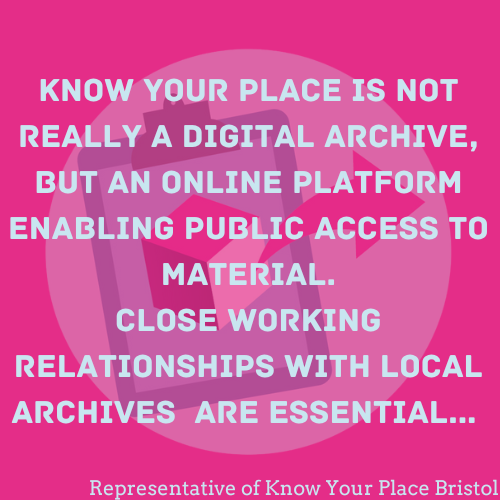
Close working relationships with local archives particularly Bristol Archives is essential for us to ensure that we are co-ordinated. However, as yet Bristol does not have an official digital archive and KYP is not really a digital archive, but an online platform enabling public access to material. We would always recommend that partners consult the local archive collections concerning long term storage or better still the ADS.
Control your content Case Study
|
Your Name: |
Representative |
|
Community Group Name |
Aldermaston History Group |
|
Focus of Community Group |
Aldermaston History Group was founded in 2018 to advance the understanding and sharing of historical information, photos and artefacts about the Aldermaston area. |
|
Type of Records held |
Digital content stored on community website. |
|
Size of collections in GB |
Unknown. |
How did you get involved with your community group?
The group was formed following a Jubilee celebration exhibition in Aldermaston Parish Hall in 2017, where a number of people had undertaken research on local history topics. It was felt that this research should be preserved and made easily available, so the idea of a digital archive evolved and was developed into a successful National Lottery bid for funds to develop a website.
Aldermaston History Group is a non-profit membership group; we charge an annual subscription which is designed to cover the cost of website hosting and maintenance, and potential cost of speakers for our quarterly talks, hosted in a room generously provided free of charge by the local pub.
How do you collect material for your collections?
Several members of the newly formed Aldermaston History Group had extensive physical archives which were uploaded to the website and items were allocated individual archive numbers.
What processes are in place to manage and process your collections?
Using the Lottery funds, Aldermaston History Group were able to commission CommunitySites to deliver a website, with elements of customised visual design, incorporating CommunitySites established cataloguing and search software.
How do you preserve your collections?
CommunitySites have hosted the Aldermaston History website since its inception in 2019, including providing hosting upgrades.
We have developed good working relationships with the team at the Royal Berkshire Archives, West Berkshire Heritage and other local history groups. We are currently evolving a donations policy to deal with physical artefacts which we are occasionally offered.
Keep your content Case Study
|
Your Name: |
Hannah Reynolds |
|
Community Group Name |
Glasgow Disability Alliance |
|
Focus of Community Group |
To promote equality, rights and social justice with and for disabled people |
|
Type of Records held |
Photographs from events and materials created by members were scanned and digitised wherever funding was available. This would include artwork, artefacts, poems, photographs, scrapbooks, collages, etc. Animation, podcast episodes, Physical materials that have been created such as bulletins, leaflets, flyers, reports, |
|
Size of collections in GB |
Impossible to say because GDA is unable to retain all collections, and this is not something that they have measured. |
How did you get involved with your community group?
Having always worked with charities, Hannah applied for job with GDA because she liked the ethos of the organisation. When speaking to their CEO during the interview, she valued GDA’s approach to community development which is very human centred. Although GDA is focussed less on showing what has been created but more about what the members get out of their experience via capacity building.
How do you collect material for your collections?
Since GDA seeks to promote diversity by showing how activities can be accessible to a range of disabled individuals, the priority is the process of creating materials and how the individuals feel while doing it rather than the finished outputs.
Where funding is available, these materials will be collected and are often for the purpose of writing funding applications, monitoring and evaluating reports for applications, documenting member testimony, etc. All sessions conducted by GDA will have PAs to help participants. The PAs take photographs as well as tutors and these are saved as a collection, often for the purpose of putting together their Learning Bulletin.
What processes are in place to manage and process your collections?
Since the outputs aren’t as important as the activity itself, GDA tries to encourage their members to take things home with them. Specific projects are documented because they are relevant to funding received. GDA store this in their digital database while they encourage members to retain the original. Unless the materials have a particularly strong message or have been provided funding to retain them, these will not be kept.
The materials in the digital database are always clearly labelled with named folders and are often arranged by location and year. GDA often cross reference the materials in their database with the register of those who attended sessions.
How do you preserve your collections?
GDA have a server held in their office – the Digital Learning manager/co-ordinator will make sure that all relevant materials that are in scope are saved on the Cloud.
The digital database is for internal use and not accessible externally since its primary purpose is for report writing.
Create/Choose your content Case Study
|
Your Name: |
Dr Milton Brown |
|
Community Group Name |
Kirklees Local Television |
|
Focus of Community Group |
Heritage, culture, diversity, inclusion, equality, equity, celebration, promotions and campaigns |
|
Type of Records held |
Documentaries, Short Films and Written stories |
|
Size of collections in GB |
5 to 6 thousand GB |
How did you get involved with your community group?
I got involved with our community groups through personal interest and outreach efforts. I am the founder of Kirklees Local TV (https://kirkleeslocaltv.com/) and established the grassroots media production company in 2012 to celebrate, commemorate and educate the broader communities, public, private and voluntary sector services of the rich heritage social-cultural capital that exists in grassroots communities. Our primary goal is representation, inculcation, raising the profile of marginalised communitas and creating equitable opportunities in minority and low socio-economic challenged communities.
Since 2012, we have involved over 700 volunteers in various projects. We now have over 4,500 videos and approximately 8,500 contributions to the website: blogs, articles, social media streams, podcasts, photographs and social media feeds.
How do you collect material for your collections?
Collecting material for our collections is an enjoyable, challenging and meticulous process. We employ several methods to gather relevant items:
Donations: We receive donations from community members and local organisations who wish to contribute to KLTV’s platform.
Fieldwork: Our volunteers engage in fieldwork, such as visiting historical sites or conducting interviews, to gather firsthand material for the website.
Training & Development: We develop our volunteers in photography, videography, editing, oral history techniques, journalism and media, archiving, and digital preservation.
What processes are in place to manage and process your collections?
Our process of collecting and managing our collection is threefold:
Acquisition: We first assess and acquire materials through the methods mentioned above. Each item is evaluated for relevance, condition, and authenticity before deciding how, who, and where we will store the new material.
Cataloguing: Once an item is recorded, documented, or collected, it is meticulously catalogued in the KLTV archive. The process involves documenting its origin, condition, and other relevant information. Each item is assigned a unique identifier to ensure it can be easily located and referenced by our Chief Editor and others in the company. KLTV’s current archive content is available for viewing directly from the website and encompasses various documentaries, videos, podcasts, articles and images (https://kirkleeslocaltv.com/).
Storage and Access: Finally, items are stored in a controlled environment to preserve their condition. We use specialised storage solutions tailored to the needs of different types of materials. We have a collection at the Heritage Quay Archive based at the University of Huddersfield (https://heritagequay.org/archives/WYA/?view=item) and with the Community Achieve Heritage Group (CAHG) as noted in their database as numbers 683 and 779. You can access the database here: https://drive.google.com/drive/folders/1WmJ3H-ixDFRk1PmI8DXDYEiPR3h49x8r.
The University of Huddersfield Heritage Quays has acid-free boxes for paper climate-controlled rooms for delicate artefacts. The university and CAHG provide access to our collection, which is managed through a digital database, allowing researchers to locate and request items for study.
How do you preserve your collections?
The Heritage Quay Archive based at the University of Huddersfield and the Community Achieve Heritage Group (CAHG) provide a range of guidance and support in the preservation of our collections. The Heritage Quay Archive support our digital preservation work. Additionally, since 2020, we have built a healthy relationship with the West Yorkshire Archive Service, based at the West Yorkshire History Centre in Wakefield. They continually advise us on good practices when developing and preserving community archives.
Understand your content Case Study
|
Your Name: |
Group Representative |
|
Community Group Name |
Bowburn Local History Society |
|
Focus of Community Group |
Our focus is on the history of Bowburn, in County Durham, and surrounding area. Bowburn is a former colliery village, whose pit (Bowburn Colliery) produced coal from 1908 till 1967. |
|
Type of Records held |
Digital content which has been created via digitisation |
|
Size of collections in GB |
Unknown at present |
How did you get involved with your community group?
Our focus is on the history of Bowburn, in County Durham, and surrounding area. Bowburn is a former colliery village, whose pit (Bowburn Colliery) produced coal from 1908 till 1967.
How do you collect material for your collections?
We have a dedicated room in the local Community Centre in which we have a collection of books, maps, photographs and memorabilia. We have tried to digitise photographs, maps and written information, using a laptop belonging to the group.
What processes are in place to manage and process your collections?
The biggest challenges are technical know-how and funding – lack of, in both cases! – but also time. We rely on the goodwill of our small number of active members to maintain a catalogue of what we have in our collection. We were recently (in 2023) helped by some volunteers from Durham University to restore order and update our catalogue, after a period of disorganisation during the pandemic. This help was greatly appreciated.
How do you preserve your collections?
We have no particular strategy in place – just a hope that new members will in due course be recruited to carry on our work.
Safeguard Your Content – Level 3
 |
CybersecurityProtecting your content from malicious attacks and viruses will become more important as you collect more content, particularly if you are collecting content from unknown donors or across the internet. In addition, it is important that you protect your collections and information held in online systems or on computers that other groups / people could get access to. |
Passwords
The first step in implementing good cyber security processes is to make sure you have good password controls in place. Tops tips for this are,
- Every password should be different. Don’t use the same password on every platform.
- Passwords should be between 9 and 15 characters long and include numbers and special characters like question marks or dashes.
- Passwords should be changed regularly to make them harder to crack.
A good way of doing this is to form a password using three random unrelated words, connected by special characters and numbers. For example (do not use these examples),
-
Sugar-Monkey16-Japan22
-
Desk?Banana.Doughnuts44!
Password manager software is available which allows you to store all your passwords in one place and it will remember them for you. This means you only need to remember the password to your password manager, which will make life easier. There are both free and paid for options available online. Ideally you wouldn’t write down your passwords as this makes them easier to be found and used. But this isn’t always possible working in large community groups so if you do have a password log, make sure it is securely stored and accessed only by those who should be using it.
Antivirus Software
Antivirus software will help keep your computer and your content safe. There are many different versions available and range from free to around £100. You can also pay for some on a monthly subscription if preferrable. Some suggestions for providers are given in the resource document of this toolkit.
Your antivirus software should be run over every file that comes into your collections BEFORE YOU OPEN THEM. This will make sure that viruses are caught before they can infect your computer and harm your content.
Another way that viruses can attack your computer is through clicking on and opening malicious attachments sent to you via email. To prevent this, always check that you recognise the sender email address (not just the sender name) before you open an attachment and don’t click any links in an email unless you are certain you know where it has come from. This is also good advice to follow for any personal email accounts you have.
|
It is important to ensure that your antivirus software is kept up to date, so it can recognize and remove the latest viruses. Most antivirus software will attempt to clean up any infected files or will remove them to a separate safe space whilst you decide how to proceed. In the worst case, having a good backup process will enable you to restore your digital data from a version that was created before the virus or malicious attack struck. Most computers come with a built in back up option and you can find details in your user manual or online. If you would like to find out more about cybersecurity the UK National Cyber Security Centre provides helpful guides and resources on a range of topics. Though these aren't focused on community archives specifically, they do contain practical and actionable advice aimed at small to medium sized organizations and you may find them helpful. |
 |
Organise your content Case Study
|
Your Name: |
Helen Hofton |
|
Community Group Name |
Pirton Local History Group |
|
Focus of Community Group |
Researching and preserving the history of Pirton village through various media, including books, photographs, audio, and digital archives. |
|
Type of Records held |
Historical records, photographs, audio tapes, videos, and digital files. |
|
Size of collections in GB |
How did you get involved with your community group?
The research group started in the 1980s as a Wea local history class in our Hertfordshire village. About 6 of us decided to write a book on the history of the village. By the 1990s we had collected a lot of data, and we wanted this to be available to people across the world. So, we used the money raised by the book to fund an open access website. The composition of the group has changed over the years and I, as chairman began to ask people with different skills to come on board for different projects. When we were doing a project recording timber framed houses, a surveyor and an architect from the village joined me.
How do you collect material for your collections?
Initially we collected material from the county record office, I photographed records of people such as land tax, quarter sessions, overseer’s accounts, rates etc and we input this information into an excel spreadsheet. These files are available on the website. We also collected old photographs which were scanned by the local museum. They kept the negatives, and we had a print copy. Audio tapes and later videos using an iPad, were made of elderly residents.
What processes are in place to manage and process your collections?
Archive records such as census, probate, lay subsidy, saved as excel files were then input into a relational access database of people. About 28 thousand records and each had an individual identifier, but because of non-standardised spelling, searching by name was difficult. To make the record database more searchable, we created a bank of all the names by removing the vowels, so Lake became LK—-. Recently another spreadsheet of house records, i.e. manor court rolls, land sales has been created and this links to the people database.
The audio tapes were digitized by the British Library as part of the Unlocking Our Sound Heritage project. The old photos are scanned and saved as TIFF s for publication or JPEGs for the website. We have our own YouTube channel for our historical videos.
How do you preserve your collections?
Most of our collections are on the website. The website is a free resource bank for articles, essays and further research on the history of the village. The website hosting is currently funded by sales of our book but in the future, I would like it to be funded by the Parish Council. The site has been deposited on the UK WebArchive but this is not searchable. In the short term all files are backed up daily on my NAS. The Hertfordshire Archives (HALS) has only just started digital collecting and preservation although there are over 25 excellent local history websites with digital records in the county. We have approached TNA about preservation of these websites, but it seems that amateurs, without standardisation, are ahead of archivists by nearly 20 years.
Plan to Share - Level 3
 |
The Rules of AccessThe reason that access permissions are so important is that there can be legal ramifications if you provide access to something when you don’t have permission to, even if you are not making money in the process. The main legal concerns to be aware of are ownership rights and personal data sharing. This level covers both in more detail. |
Copyright
The key ownership rights to consider are covered by Copyright, which is an intellectual property right automatically granted to the creator of any original work that can be seen, heard, or performed. Copyright applies to many types of works, including books, music, photographs and images, paintings, poems and sound recordings. It protects original works from being copied, distributed, or performed without the copyright owner's permission., unless you have permission from the copyright owner, or an exception to copyright applies.
Copyright law in the UK states that copyright expires after a set period of time - typically seventy years after the author’s death for literary, artistic, musical or dramatic works. However, durations differ depending on the work. You can find out more here,
If a donation to your collection is covered by copyright, it is possible for the copyright owner to license or transfer the rights to you. You should get specialist advice to draft the relevant deposit agreement
There are number of ways that contributors can license their works for reuse if they own the copyright. The most widely used set of ‘open licences’ are provided by Creative Commons. These enable reuse and sharing of copyright content via a range of freely available licences.
If you would like more information, the team at copyrightliteracy.org have produced a short film and training pack that can be accessed here.
General Data Protection Regulations (GDPR)
It is important that every individual knows where data about them exists and what it is being used for. GDPR is legislation governing this process that makes sure there are consequences when it does not happen. GDPR is based on 7 core principles which must be followed when processing personal data;
-
Lawfulness, fairness, and transparency: Be transparent about how personal data is collected and used
-
Purpose limitation: Only collect and keep data for the specific purposes it was originally intended for and consented to
-
Data minimization: Limit the amount of personal data collected to what is necessary
-
Accuracy: Ensure the information published is accurate
-
Storage limitation: Delete or anonymize personal data once it is no longer needed
-
Integrity and confidentiality: Keep data secure from internal or external threats
-
Accountability: Demonstrate that processing activities comply with the GDPR and keep records of those activities
The donor form you created in level 2 should contain information about how you will handle people’s data. Everyone should also have the option to opt out at any time or not donate to your service if they don’t want their data processed in the manner you have documented.
Take Down Policy
Always consider offering a “Contact us” or “Request correction/removal” option (often referred to as a “Take-down policy”) on your site This will allow anyone who may have issue to get in touch with you. This can be as simple as providing an email address that is regularly monitored, or an online feedback form. Whilst this does not confer any legal protection, it shows that you are responsive to the concerns of users, rights holders, and affected parties, and may help mitigate the consequences of any mistakes, unintended infringement, or causes of offence.
|
There is a wealth of information online about both GDPR and Copyright if you want to find out more. If all else fails always fall back to level one of this topic and never provide access to content you don’t own. It is better to be safe than sorry. |
 |
Preserve your Website - Level 1
 |
Submit Your Website to be ArchivedSubmitting your website to organizations that capture and preserve websites can be a simple and powerful way of protecting your community archive's digital content. Websites only last as long as they are maintained and paid for. Research shows that community websites can often disappear after only a few years. |
Just One Thing
Submitting your website for archiving is straightforward and there are several options.
Many countries have archives dedicated to preserving their national web space. In the UK, The British Library runs the UK Web Archive. You can use the form on their web site to nominate your site for preservation.
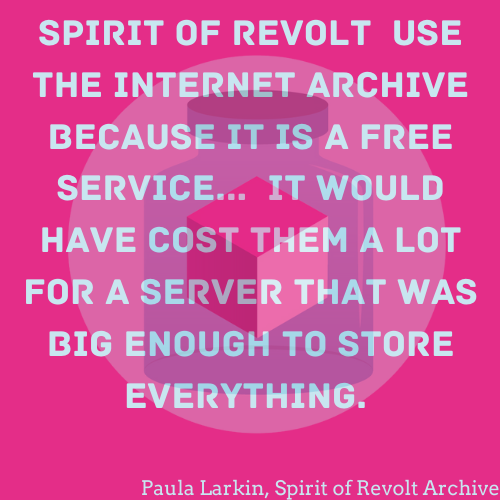
The Internet Archive captures websites from around the world. Use the "Save Page Now" feature on their website to point the Internet Archive to capture specific pages of your website.
Next steps…Submitting your website is a recommended quick win, but if you have time, it's worth making sure that your website is being archived accurately and comprehensively. It can also be helpful to design your website simply to make it easier to crawl. We explore this more in level 2. |
 |
Safeguard Your Content – Level 2
|
The More Information, the BetterThe more information you can provide to those taking in your collections, in what is sure to be a stressful and worrying time, the smoother the process will be. Having the following information to hand should it be needed will take away some of the pressure and allow you to focus on any other tasks that need to be completed. |
Information to add to the document you created in level one could include;
-
Collections information – information on size, formats, topics etc.
-
Any platform passwords.
-
Where and how you currently provide online access.
-
Details of people who work with the collections and their responsibilities
-
If the collection is being split, details of where the other parts will be going with contact details.
-
Any permissions or access restriction information (for example, about copyright or personal data).
-
Your Collecting Policy, created in step 1, which will give an impression of the focus of your collections
Working through the other topics and levels in this toolkit should provide you with a lot of helpful information. Keeping all this information together in an admin folder on your computer and printing a copy in case of issues will also be helpful.
This template gives you a place to log all the information you collect.
Next Steps Assuming that you and your group will be the ones working with your content for a long time, it is important to think about the security of the environment your records are in and what you can do to make your content as safe as possible. Level three looks at the steps you can take to achieve this.
Next StepsAssuming that you and your group will be the ones working with your content for a long time, it is important to think about the security of the environment your records are in and what you can do to make your content as safe as possible. Level three looks at the steps you can take to achieve this. |
|
Subcategories
Template for building a Business Case
This section provides guidance on the content that will be useful to include in your business case, but it will likely need to be adapted to the structure used in your organization’s template.