You Are Not Alone
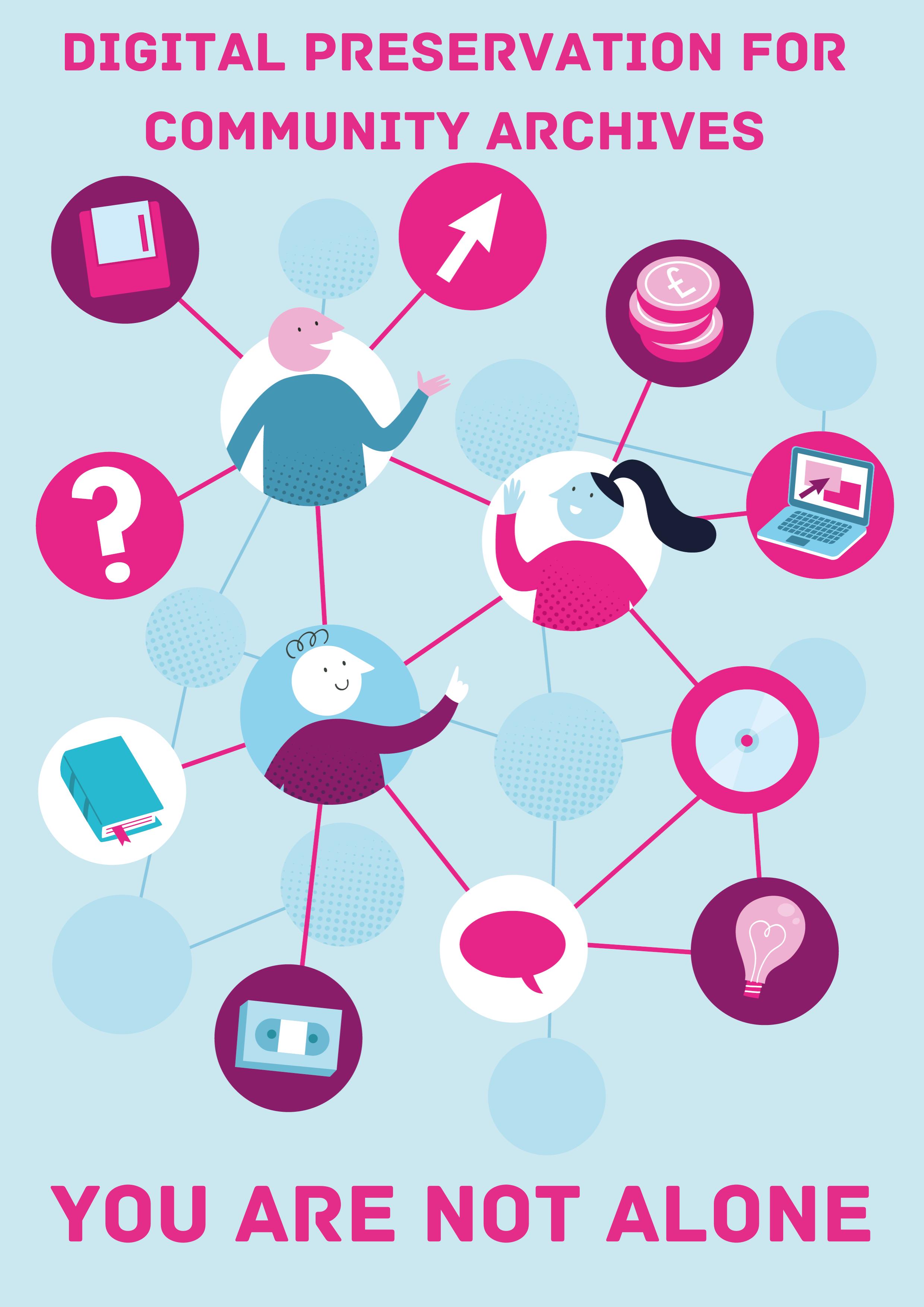 |
Whether you are at the beginning of your journey into the world of digital community archives or are further down the road, it can sometimes feel like you are on your own and which route to take next is unclear. Preserving digital content is a complex and ever-changing task, but you are not alone, and help is out there. It is important to remember that the best option may differ depending on the group you are part of and the records you collect. Every community group working with records is different, but they all share the same passion for collecting and sharing the collections in their care. Your group is best placed to decide what the best option is for the records in your care going forwards. |
Broadly speaking, there are 4 ways your community group can operate. They are:
Collect and Manage Locally – Create, collect and curate your own content and manage it within your own community. You will handle all areas of collection management and promotion on your own.
Collect and donate to archive - Create and collect your own content and pass it to a cultural heritage institution to preserve long-term. You have the option to curate and manage the content before transfer, or you can ask the institution to do this after transfer.
Collect, manage locally and promote nationally - Create, collect and curate your own content and manage it within your own community. You will handle all areas of collection management. You will send your collections data to an institution like TNA’s Manage Your Collections, or the Archives Hub, who will provide access to your catalogue and provide opportunities for Nationwide promotion.
Work with other communities – Collaborate with other community groups to share knowledge and tasks related to management of your digital content.
No matter how your group chooses to operate, there is help and support available at all stages of your digital content preservation journey. We are a global, friendly and welcoming sector and there are a range of organisations and resources available both online and in person. Just some of these are listed below.
National Organisations
|
|
|
|
|
|
|
|
|
|
|
|
Local Help
If you would prefer to seek help locally, every local authority or county council in the UK has an archive with at least one member of staff who will do their best to help you solve any problems you have.
In addition, peer support may be available from other community archive groups in your area. The Community Archives and Heritage Group website has an interactive map where you can search for community groups in your area and find contact information.
Explaining the Lifecycle
|
|
Whether you are at the beginning of your digital preservation journey, or further down the road, knowing the lifecycle of a content that is part of your collections can be extremely useful. Knowing what part of the lifecycle you are working on can help you plan what tasks you want to work on next and how they relate to any future work you might do with your collections. Each section of the lifecycle is described below and aligned with the topics of the toolkit, so you know which section of the lifecycle you are working on. |
|
Lifecycle Section |
Toolkit Topic |
Description |
|
Creation / Collection |
This is the start of the lifecycle where a record comes into existence. The record may have been created by you (for example, an oral history recording or a digital photograph you’ve taken), or it might have been created by a donor who would like to add it to your collection. Once a digital record has been created, you will move to the next stage to decide if the record should become part of your collections. |
|
|
Selection |
The selection stage is where you decide which of the content you have (or have been offered) should become a permanent part of your collection. The most efficient way of doing this is creating a collecting policy. A collecting policy a document which sets out, what material you collect, what you don’t, and what criteria you use to make these decisions. The same criteria should be used every time you are offered, or are involved in creating, material. |
|
|
Description |
Describing your content is essentially collecting together the technical and descriptive information that you think will be most useful for understanding and providing access to your content. Your descriptions will be used to help you locate and work on your collections as well as to describe them to potential users so it’s important to collect and store the information that will be of most use. The same information should be collected about each record and collection. This information should be easily accessible to those working with your collections and, subject to access restrictions, included with any files you provide access to, whether access is online or by any other means. |
|
|
Management |
In terms of digital content, management means the range of tasks carried out that result in your collections remaining preserved and accessible. These tasks range from responsibility defining and planning to information gathering, system review and finance related tasks. Good collections management will reduce the risk of your collection becoming damaged, lost or inaccessible. |
|
|
Storage |
Once you have defined what your collection will contain and described the content, the next stage is to store both the collection, and the information documented about it contains. There are a wide range of storage mediums available. The medium you choose should be secure, stable and easily accessible by members of your group. Storage should be regularly reviewed and replaced if needed. |
|
|
Preservation |
Preservation of your collections involves the technical processes that combine with the management processes described above to keep your collections usable and accessible over time. This can include steps like making copies, using a preservation system, preserving your website or checking your files are still valid. Working through the levels of this toolkit will help you establish what the correct processes for your group are. |
|
|
Use |
Archive collections are usually collected by groups so they can be widely shared and accessed by other people. Digital records can be shared in a range of ways including an online digital exhibition or file sharing software. Before sharing any of your collections, you need to make sure you have the right ownership and/ or permissions in place to do so. |
What is Digital Preservation?
 |
The Digital Preservation Handbook describes Digital Preservation as the series of managed activities necessary to ensure continued access to digital materials for as long as necessary ... (digital preservation) refers to all the actions required to maintain access to digital materials beyond the limits of media failure or technological and organisational change. But what does this mean for a community archive and why is it important? Digital collections come in a huge variety of sizes and formats and there is no one size fits all for preserving them. This means that digital collections are very fragile and there are a range of risks involved in preserving this content. For example,
|
The DPC's Bit List of digitally endangered species explains more about the types of records at risk, why they are at risk and what can be done to help preserve them. Community created collections are on this list.
There are three main strands that come together to help ensure effective management and preservation of digital collections. They are;
-
Technology
-
Management
-
Resources
Without some work in all these areas, preservation of digital collections in any group or organisation won’t be possible.
Ultimately, digital preservation is about making an investment in properly managing digital collections with common sense, consistency and an attention to detail. Careful planning for digital preservation will safeguard your assets and avoid the need for costly intervention further down the line. In addition, Documenting what you do, and why you are doing it, will help anyone who needs to preserve your digital collection in the future.
You can find out more here: What is digital preservation?
Why does digital preservation matter?
The collections held by your community groups have value. In most cases this value is historical, and the collections should be preserved so they can be accessed and shared for many years to come. Without digital preservation. Long term access to your collections will not be possible.
Read more in the Digital Preservation Handbook: Why digital preservation matters.
What about digitisation, is it the same thing?
No!
Digitisation is the process of creating digital content from non-digital collections, such as paper volumes, sound recordings on a cassette tape, or film content on VHS tape.
Digital preservation is the preservation of digital content over time. Once your physical content has been digitised, it should then be digitally preserved. Digitisation should not be started without a plan in place for how you will preserve the content you are creating going forward.
How to use this toolkit
 |
The best way to use this toolkit is to focus on the information at the level that works best for your group. You can build capabilities by working through the levels of the matrix in order, or pick and choose the topic you are most interested in. Some advice on how to identify your current stage is below. If you are at the very beginning of your digital preservation work, start with the ‘What is Digital Preservation’, ‘Explaining the Lifecycle’ and ‘You are not Alone’ documents. Then move on to level one topic one and work through the ten topic steps. This will give you a basic digital preservation workflow that you can adapt and add to as your group sees fit. ‘Digital Preservation – Just One thing’ is a downloadable document that will take you through the ten basic steps to implementing your process. If you have started work and need advice on a particular topic, go straight to that topic and use the information from the level that is most relevant to help you build on your current capabilities and processes. It will be useful to read all three levels before deciding which level you would like to work on. The toolkit also includes a series of case studies to show how community archive groups across the UK are operating. These will give you both advice and inspiration. If you are confident working with digital collections, we have provided a list of resources which gives information on additional guides, processes and standards used across the archives and record keeping sector. |
Toolkit Matrix
Topic |
Level 1 |
Level 2 |
Level 3 |
|

Choose / Create your contentUse this to decide what you will collect and identify where it will come from |
Selecting your content | What to collect | What to keep | |

Organise your contentUse this to make your collections easily accessible |
Naming conventions | File Structure | Using a system | |

Who does whatUse this to make sure everyone knows their roles and responsibilities |
Roles and Responsibilities - on a page | More detailed roles and responsibilities | Annual review of roles and responsibilities | |

Understand your contentUse this to document what content you have and where it is stored |
What and where your content is | Find this information | Digital Asset Register | |

Keep your contentUse this to keep your storage in working order and accessible |
Storage review | Storage Options | Storing your content | |

Control your contentUse this to ensure you can always access your content |
Exit strategy | How to talk to suppliers | Check your contracts | |
Make CopiesUse this to decide how you will make copies of your content |
Back up your content offsite | The 3 - 2- 1 rule | Check your copies | |

Plan to shareMake sure you have the right documentation to allow you to provide access to your content |
Prepare for access | Permission to share | The rules of access | |

Preserve your websiteEnsure the long term preservation of your website by submitting it for archiving |
Submit your URL to be archived | Make your website archivable | Archive your website | |

Safeguard your contentCreate a succession plan in case your organisation closes |
Plan for the Worst – Expect the Best | The More Information, the Better | Cybersecurity | |
Community Archives Digital Preservation Toolkit
Welcome to the Community Archives Digital Preservation Toolkit. This toolkit has been designed in collaboration with a wide range of Community Archive groups to enable you to tackle preservation of your digital collections.
Digital Preservation can be complex, and there is no one size fits all process or workflow that works in all situations, but there are simple steps you can take to help safeguard your digital collections. This toolkit guides you through the basics in a series of levels to ensure that no matter where you are with your digital preservation journey, you will be able to find and implement guidance that’s relevant to you.
Working to preserve your collections for the future is an important task and small steps can have a large impact. The toolkit has been designed to empower you to work on your digital collections with confidence. It will be continuously improved and added over time so if you have feedback or suggestions, please send your thoughts to karynDOTwilliamsonATdpconlineDOTorg.
|
How to use this toolkitAn introduction to the toolkit and how it can be used. Use this to find out more about how the toolkit works and what sections will help you most. |
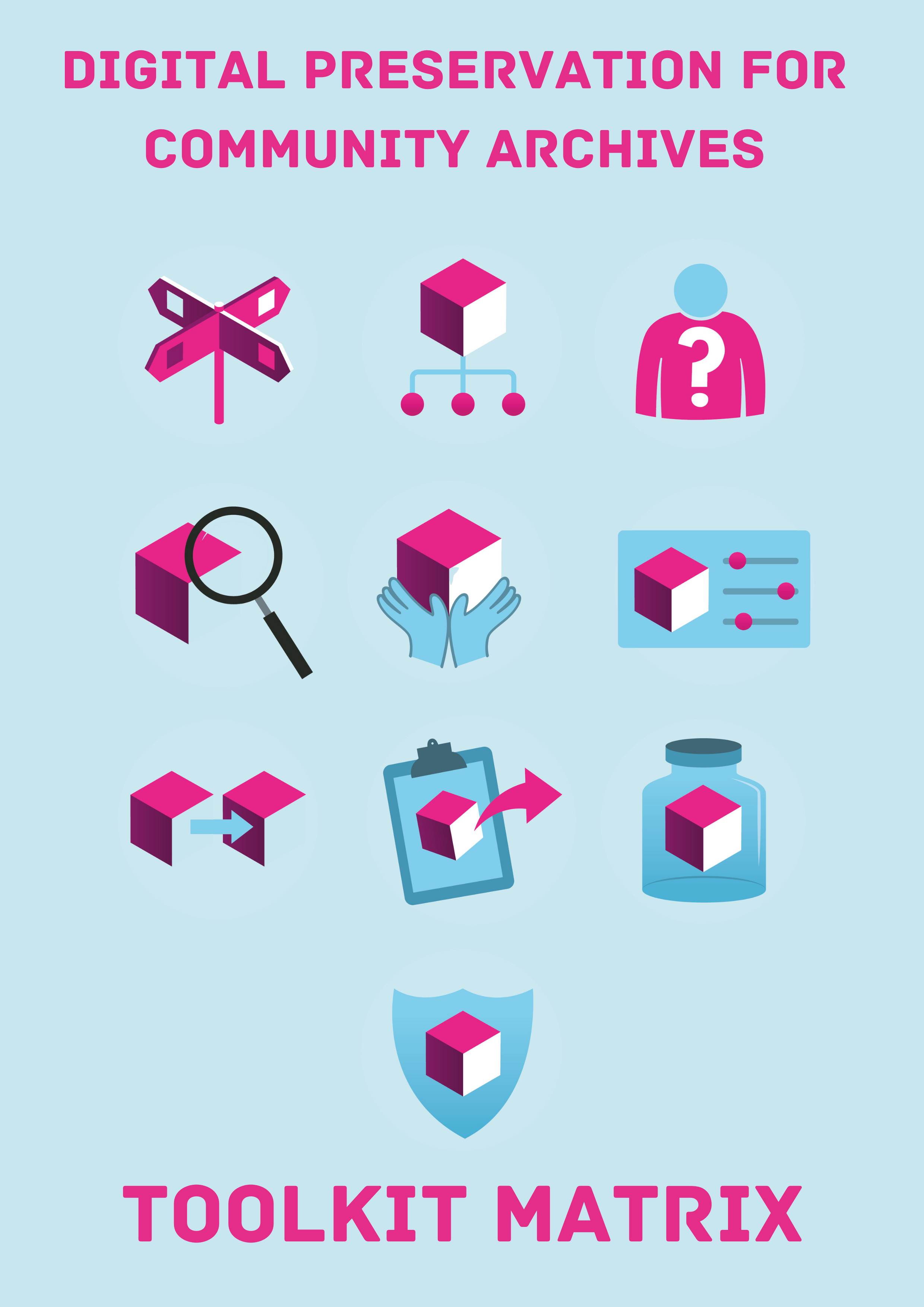 |
Toolkit MatrixAll the toolkit topics and level subjects arranged together in one place to help you decide what areas may be of interest to you. Use this to see what is covered in each level of the ten toolkit topics. |
|
What is Digital Preservation?An introduction to the concept and practices of digital preservation and why we do it. Use this to find out what digital preservation is, what it is not, and why it is important. |
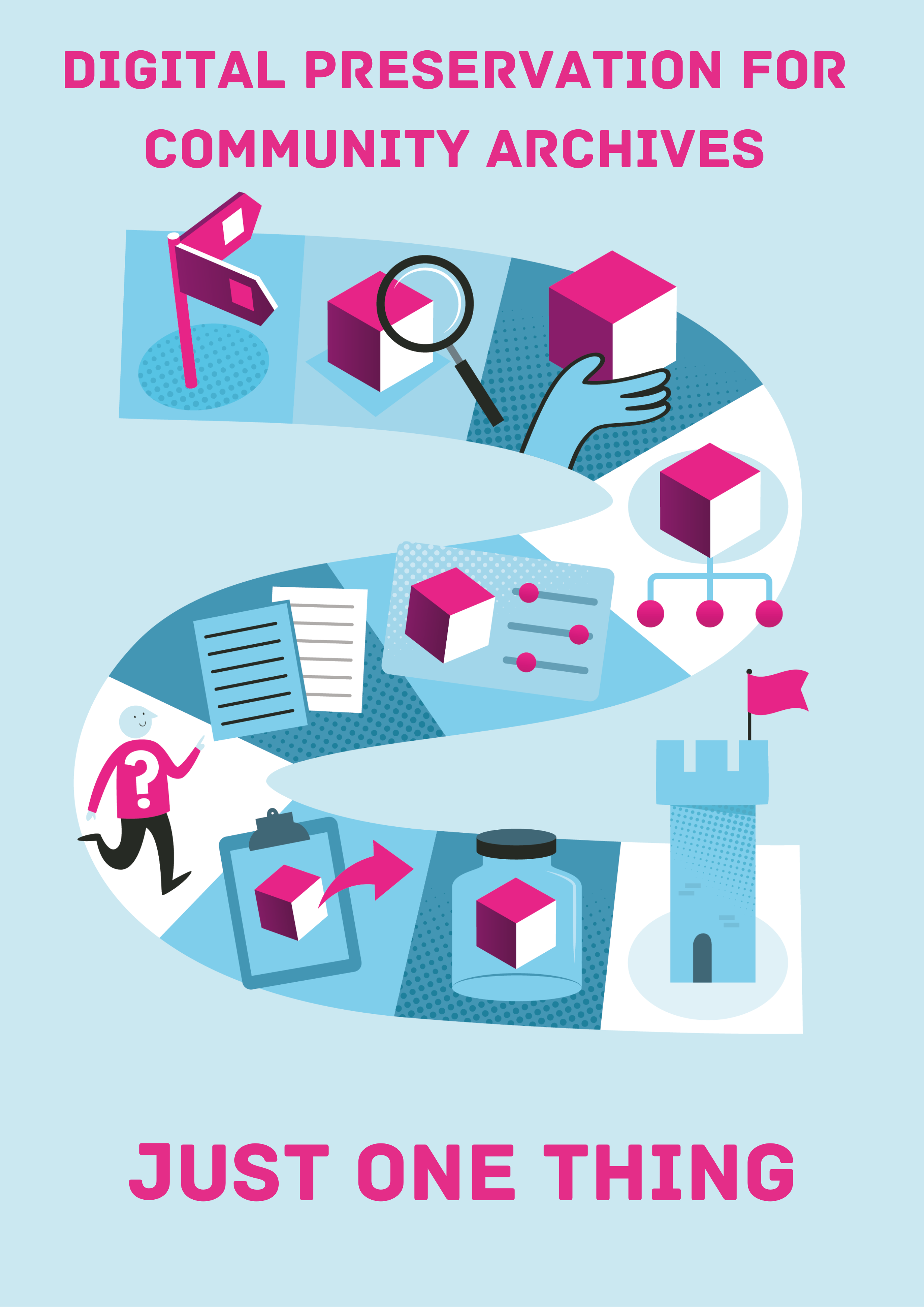 |
Digital Preservation – Just One ThingThis resource pulls all of the level one information together into a handy step by step guide. Use this if you need a step-by-step workflow to get you started on your digital preservation journey. |
 |
Explaining the LifecycleIntroduction to the record lifecycle, which explains about the processes a digital file goes through on its journey from creation to preservation and access. Use this to learn about how the topics in the toolkit link to the record lifecycle. |
|
You Are Not AloneCollaboration is key to the success of digital preservation. This document details the options you have and how you can find out more. Use this to learn about your options for collaboration with archive professionals and other community groups. |
 |
Jargon BusterAcronym and glossary list of technical terms used within the toolkit Use this if you find and terms or acronyms in the toolkit you don’t understand. |
 |
A Basic Digitisation GuideThis guide provides basic guidelines for converting physical materials into digital formats. Use this before embarking on a digitization project. |
 |
Adding Digitised Records to a CatalogueThis guide explains the basic principles to follow and outlines several options for including digital copies in your catalogue records. Use this if you already have a catalogue and want to add digitised versions of your items. |
 |
Thinking about using AI?Information on good practice in using AI. Use this if you want to understand how AI can be used to assist community groups. |
 |
Case StudiesA range of community archives have written about how they work with their digital content. Read their experiences here. Use this to read more about what processes and practices other community groups are using to preserve their digital content. |
 |
What Next? Resource ListThe toolkit provides a range of options to get you started on your digital preservation journey. This resource is for those who want to take the next step and build on what has already been achieved. Use this to find out what other learning resources are available once you have used everything applicable to you from the toolkit. |
 |
Global Ambassador ProgramSign up here to access a range of resources designed to help you support community groups in your local area. Use this to create your own toolkit based training content adapted to your local context. |
|
Suggested citation of current version |
Digital Preservation Coalition (2024). Community Archives Digital Preservation Toolkit [http://doi.org/10.7207/communitytoolkit24-01] |
|
Last updated |
November 2024 |
|
Date of next planned review |
2027 |

The Community Archives Digital Preservation Toolkit was created as part of the Towards a National Collection spoke project, ‘Our Heritage, Our Stories’ (OHOS). A description of the wider project can be found here. The community archives for digital preservation toolkit was created in partnership with OHOS project representatives from the University of Glasgow. Our thanks to them for supporting this work.
Digital Asset Register - Example Interview Questions
The following is a set of example questions that might be used for an interview to gather information about the digital content that should be recorded in your organization’s DAR. They can be used as a starting point for developing your own question set: adding, removing, or tailoring the questions as needed to reflect the information you need to gather, how your interviews will be carried out, and organizational culture and working practices. This list is meant to be relatively comprehensive, so it is unlikely you would aim to cover all of these in a single interview session. Additionally, you may wish to consider the terminology used (are there particular terms used in your organization? Will you need to explain terms?)
- How does your role relate to the creation, acquisition, and/or management of digital content?
- Is there any particular digital content of digital content that you create, acquire, and/or manage?
- What is their purpose/significance?
- Is it important that they be preserved?
- Who owns the digital content? (e.g. the organization, a partner organization, a donor, etc.)
- Are there any agreements in place in relation to ownership, use, and/or intellectual property rights?
- Who has ultimate responsibility for managing the digital content?
- What types of content are included? (e.g. file formats)
- How much digital content is there? (e.g. in MB or GB)
- Is the digital content expected to grow? Can you estimate by how much and when?
- Are there multiple versions of particular content?
- What tools, equipment, and/or software are used in the creation, acquisition, and/or management of the digital content?
- Do you maintain, or know of, any documentation in relation to the digital content? (e.g. metadata, technical documentation, catalogue records, a data management plan.)
- Where is the digital content stored?
- Is it backed-up regularly? How?
- Are there security measures in place? (e.g. permissions needed to access, password protection)
- Does the digital content contain any sensitive data? (e.g. personal data, proprietary information about the organization that should not be shared)
- Are there any particular risks to the digital content?
- How long do we need to preserve and retain the digital content for?
- Has there ever been any data loss?
- Could the digital content be recreated if it were lost?
- Is access provided to the digital content? (e.g. to other colleagues, research partners, members of the public)
- Who are the current users of the content?
- Are there any other groups who might use the content in the future?
- Are there any ethical issues in relation to providing access? (e.g. the content includes information first nations/Indigenous peoples or vulnerable groups)
- Are there any other people you think I/we should talk to as part of this information gathering process?
- Is there anything else you would like to add?
Additional Digital Asset Register Headings
The core recommended headings cover key information you may wish to capture in your DAR. The list is not, however, exhaustive in terms of the information you could capture and you may wish to expand on the headings depending on how you will use your DAR and they types of content and processes you have at your organizations. This page has a list of additional headings you may consider including in your DAR Template. As with the core recommended headings, these have been drawn from a collection of in-use DARs.
|
Heading Name |
Alternative Name(s) |
Suggested Format |
Description |
|
Importance |
Text using a set list of terms |
A rating of the importance of the content, e.g. vital, high usage, key asset, etc. |
|
|
Related Collection(s) |
Associated Series/Collections, Parent Collection |
Text |
The name of related content groupings, whether digital or analog. May include a link to catalogue records or accession numbers. |
|
Asset Type |
Text using a set list of terms |
The type of digital content, e.g. born-digital, digitized, mixed, etc. |
|
|
Accruing |
Text |
A brief description of additional content expected to be received in the future. |
|
|
File Formats |
Text using a set format |
A list of the file formats included within a group of digital content, e.g. JPG, DOCX, DXF, XLSX. |
|
|
Encryption |
Text |
A summary of any issues relating to encryption. Details for individual files can be stored in file manifests. |
|
|
Storage Type |
On Prem/Cloud |
Text using a set list of terms |
The type of storage used for the main copy of the content. This might include options such as: Archive Drive, On Premise Storage, Data Tape, Cloud |
|
Back-Up |
Copy Locations |
Text |
Details of additional copies of the content and where they are stored. This can include basic information about back-up procedures. |
|
Media Formats |
Text using a set list of terms |
A list that specifically identifies any physical media types that content is stored on, e.g. external hard drive, USB drive, CD-RW. |
|
|
Physical Media Location |
Text |
Information on where physical media containing digital content is stored. This information could be captured in the Storage Location field, but you may also wish to separate out physical locations to make this information easily accessible. |
|
|
Unreadable Media |
Text |
Details of any unreadable physical media that is included in the digital content. This may be due to issues such as a lack of equipment or errors when attempting to access the media. |
|
|
Storage Notes |
Text |
Notes on the storage of the content that do not fit under any other heading. |
|
|
Priority |
Text using a set list of terms |
An indicator of the priority level of the content for processing and/or preservation. This might be a simple Yes/No or use levels such as High/Medium/Low. |
|
|
Accompanying Metadata |
Text |
Details of any metadata provided with the content and where it is stored. |
|
|
At Risk |
Yes/No |
Is the content currently at risk? |
|
|
Risk Score |
Numeric |
A numerical representation of the risk level of the content to facilitate sorting and prioritization by risk level. |
|
|
Preservation Planning |
Text |
A summary of preservation plans that have been developed for the content. This may include a link or file location for specific plans. |
|
|
Preservation Actions |
Migrations |
Text |
A summary of preservation actions that have been carried out on or for the content. This might include format migrations or emulators that are available. |
|
3rd Party Preservation |
Text |
Details of any preservation responsibilities that have been deprecated to a third party. For example, where preservation is carried out by a partner organization, a national data repository, or a 3rd party service. |
|
|
Meets Minimum Metadata |
Yes/No |
Is the digital content accompanied by the minimally required metadata as established by your organization's internal standards? |
|
|
Virus Checked |
Yes/No |
Has the content been virus checked since it was received. |
|
|
Catalogued |
Yes/No |
Has the content been catalogued? |
|
|
Appraised |
Yes/No |
Has the content been appraised? |
|
|
Suitable for a Volunteer |
Yes/No |
Is the content suitable to be processed and/or catalogued etc. by a volunteer? |
|
|
In Repository |
Yes/No |
Has the content been ingested into the organization's digital repository? |
|
|
Disposal |
Numeric or Text |
A number or description of files that have been deleted after appraisal or a retention period has expired. |
|
|
Disposal Date |
Date using a set format |
The date that content was deleted. |
|
|
Access Level |
Text using a set list of terms |
A description of the level of access that is currently provided, e.g. Open access, not accessible, limited content accessible, embargoed |
|
|
Access Copies |
Text |
Details of any access copies that are available and/or a pointer to their storage location |
Useful Resources
The following is a list of additional resources that can help with planning, building, and maintaining your DAR. Use this as a reference point for further reading on the subject.
General Resources
Novice to Know-How: Digital Preservation for Beginners training – A training course offering a practical introduction to digital preservation.
https://www.dpconline.org/digipres/prof-development/n2kh-online-training
The Digital Preservation Handbook – An authoritative and practical guide to digital preservation.
https://www.dpconline.org/handbook
Awesome Digital Preservation – A community-owned list of resources for digital preservation.
https://github.com/digipres/awesome-digital-preservation#get-started
DPC RAM – A broadly-scoped maturity model for digital preservation that supports benchmarking of current capabilities and future planning.
https://www.dpconline.org/digipres/implement-digipres/dpc-ram
NDSA Levels of Digital Preservation – A maturity model focusing on the more process-orientated elements of digital preservation.
https://ndsa.org/publications/levels-of-digital-preservation/
DPC Topical Notes Series – A set of 2-page introductions to key digital preservation issues written in plain English for use in advocacy and when talking to non-specialists.
https://www.dpconline.org/digipres/discover-good-practice/tech-watch-reports#topical-notes-series
The National Archives (UK) Digital Preservation Workflows – Guidance on how to establish digital preservation processes at your organization.
https://www.nationalarchives.gov.uk/archives-sector/advice-and-guidance/managing-your-collection/preserving-digital-collections/digital-preservation-workflows/
Advocacy
Executive Guide on Digital Preservation – A guide containing messages and motivators that can be used to communicate with senior executives, legislators, and budget holders, as well as decision and policy makers, about digital preservation.
https://www.dpconline.org/digipres/implement-digipres/dpeg-home
Business Case Toolkit – A toolkit to help with preparing a business case for securing resources.
https://www.dpconline.org/digipres/implement-digipres/business-case-toolkit
The Bit List – A list of “digitally endangered species” that can aid with advocacy.
https://www.dpconline.org/digipres/champion-digital-preservation/bit-list
Characterization Tools
DROID - https://www.nationalarchives.gov.uk/information-management/manage-information/preserving-digital-records/droid/
FITS - https://projects.iq.harvard.edu/fits
Siegfried - https://www.itforarchivists.com/siegfried/
JHOVE - https://jhove.openpreservation.org/
Data Accessioner - https://github.com/digitalpowrr/DataAccessioner
Risk Management
DiAGRAM – A tool to help with managing risks to your digital content.
https://diagram.nationalarchives.gov.uk/
SPOT – A model for understanding technological risks.
https://www.dlib.org/dlib/september12/vermaaten/09vermaaten.html
DRAMBORA – A model and tool to allow practitioners to audit digital preservation risks.
https://www.dcc.ac.uk/tools/drambora
Metadata
Dublin Core - https://www.dublincore.org/
More on Information Gathering
This section provides guidance on the information gathering methods you might use to gather the data for your DAR. Use this to find out how to gather the necessary information to populate your DAR.
 It is important to carefully plan out how you will gather information for your DAR before beginning the process. This will help you to ensure you have considered all of the key factors:
-
The scope of the content you are hoping to gather information on.
-
The time, resources, and tools you have available to help with the information gathering, including the people who will be undertaking the task and the skills they have.
-
The sources (people, documentation, and systems) you will gather information from.
It is essential that you are realistic about the amount of information you will be able to gather and that you ensure you have the focus time needed to dedicate to this task. Without a clear and realistic plan your DAR may become a half-finished resource that is never fit for purpose. Do remember that capturing something simple is better than nothing and you should not get caught up in worrying about it being perfect from the outset. Figure out the essential information fields and populate those first. These can be built out over time with more data elements as you have time and/or they are needed.
You may also consider a federated approach to capturing information and updating the DAR. In this approach you might be responsible for setting up the structure of it, and managing and monitoring its use, but responsibilities for information updates sit with data owners or creators. This approach can be helpful with advocacy and engagement or if you are capturing information for a large organization and/or with a wide scope. It does, however, also mean that you are beholden to the data owners, their willingness to complete the DAR, and the quality of data they produce. Before using such an approach, consider what level of buy-in there is for the process, whether colleagues can be relied upon to keep it up to date. Including DAR updates in process documentation, putting out regular reminders, and carrying out checks can all help with ensuring the necessary data is added. Some practitioners have also found environmental sustainability (not keeping unnecessary data) to be a good motivator to encourage participation. You may also need to consider what the consequences might be if colleagues do not keep the data up to date, in particular, the impact it might have on collections management capabilities.
We will now look in a little more detail at some of the key data sources and methods for capturing data for your DAR in the following sub-sections:
Existing Data Sources
No matter the scope of your DAR, you will almost certainly look to gather information from the range of existing systems and documentation maintained by your organization. Data sources may include:
-
Accession/acquisition records and paperwork
-
Documentation provided by depositors
-
Records in cataloguing systems
-
Reports from Digital Asset Management or Digital Preservation Repository systems
Before beginning information gathering it can be useful to create a list of these relevant systems and documentation maintained by your organization, the types of information they may contain, and the format of that information. This can then be used to plan how to prioritize gathering information and what you will look for where. For example:
-
Accession records and acquisition paperwork may be the best place to find information on ownership and intellectual property rights;
-
Descriptions of the digital content can potentially be harvested from cataloguing systems; and,
-
A repository report might include details of the number of files included and their total size.
Physical Storage Media
Depending on the processing status of the content held by your organization, you may need to carry-out a survey of unprocessed external/legacy storage media. The extent of this survey will depend on the time and resources you have available. Some issues to consider are:
-
Is there a list, or can a list be generated, of all of the accessions/digital content containing such storage media?
-
Where is the media stored? Has it all been collected together and is easily accessible, or is it stored amongst physical content, and therefore might be difficult to locate?
-
Is there any documentation that lists what is on the media?
-
What types of media are there? Will you require technical help, new hardware, or to consider outsourcing data access and copying?
You will also need to consider carefully if you will simply be viewing the content to gather information, or do you have the time and resources to undertake copying of the content onto more secure storage ready for processing? This may significantly increase the time required for the task, but overall, it will be a more efficient use of resources, be less risky than multiple uses of the media, and mean the content will likely be on more stable and secure storage.
Ideally, surveying and processing digital content held on physical media would be a priority due to the high level of risk associated with these storage formats. But in reality, you may find that carrying out such a survey is not feasible as part of your initial information gathering, due to time available, the complexity of the media, and how it is stored. If this is the case, it is recommended that you consider addressing physical storage media as a possible next step or follow-on project, to ensure your DAR is comprehensive and that you have mitigated the high level of risk to content stored on this type of media.
Characterization Tools
Characterization is the process of identification and description of what a file is and its defining technical characteristics, such as file format, size, and the software used to create it. There are a number of characterization tools that can be used to generate this information for a group of files held in one or more folders. These are, therefore, particularly useful for capturing summary information such as “Number of Files” and “Total Size” for your DAR, without having to manually count and calculate everything.
A characterization tool can generate this information for small amounts of digital content in seconds, although longer processing times might be required for larger amounts of digital content. Indeed, some tools may struggle with particularly large-scale digital content. In this case, you will need a computer with sufficient processing power and/or you may need to analyze the content in sections.
You can find more information on the range of characterization tools that are available via the COPTR tools registry and some of the commonly used tools are included in the Useful Resources section below. Some tools are accessed via a user interface like the software and apps you will be familiar with using, while others can only be run using the Command Line interface. The free training course Novice to Know-How also includes more detailed information on understanding digital files and characterization, as well as providing demos of a tool called DROID. It is possible to run DROID from a user interface as well as from the Command Line. The DROID tool demos are also included in the Digital Preservation Handbook.
Survey
If your DAR's scope is relatively wide, for example if you are aiming to include details of digital content at your organization still in active or semi-active use, you may find it helpful to capture information for your DAR by circulating a survey. The benefits of using a survey are that you can gather information for a large group of people quickly, you may capture details of content that you were unaware of, and, if the survey is well-designed, the data captured can be in easily processable formats that might translate directly to DAR fields. The downsides of using surveys are that you must rely on the goodwill of others to ensure the right people complete the survey, and the data may vary in quality.
If you do plan to use a staff survey to gather information, you should consider the following:
-
Does your organization subscribe and provide access to a specialist survey tool, such as Qualtrics, SurveyMonkey, or TypeForm? These can provide useful functionality for creating, structuring, and analyzing the data from your survey. If these are not available, you may consider using a free service like Google Forms.
-
Make sure to carefully consider the questions you add to your survey. Aim for clear, jargon-free questions and an emphasis on easily processable data where possible. For example, use answers with check boxes, pick lists, or data validation to ensure data is entered in a consistent way.
-
Limit the number of questions that allow text-based answers. The information gathered is more likely to be of variable quality and will take significantly longer to process.
-
Consider how you will communicate about the survey. Will you distribute it via email, an intranet site, and/or a newsletter? Are there particular members of staff you should send targeted messages to? How many reminders should you send? Would offering accompanying information sessions help to increase engagement? Do you need to work with managers to have them encourage staff to complete the survey?
Finally, it is important not to underestimate the amount of time you may need to spend analyzing the data captured from a survey before it can be included in your DAR. As mentioned above, text-based answers can take a significant amount of time to process, and even more straight-forward quantitative data will likely require some quality checking to make sure it is fit for purpose.
Interviews
Interviews are another potential information gathering approach that can be helpful for building your DAR. They can be particularly useful when information gathering is being carried out by an individual or small team, but the content is managed and/or created by a larger number of people. Interviews will provide an opportunity for an in-depth dive into the knowledge an individual may have amassed, but perhaps not documented, about content they manage or have created. For example, they are very good at unearthing details about content hidden away in a forgotten corner of the staff shared storage, that might otherwise have been missed. Interviews are, however, very labor intensive to plan, stage, and analyze, so it is important to carefully consider if you have the time and resources available to include them as part of your information gathering process.
If you do plan to include interviews, then it is useful to consider the following:
-
What questions do you need answered? You will find that you are able to cover fewer questions than you might think in a session.
-
Are your questions clear and jargon-free? Is there any specialist terminology that you need to include and will have to explain?
-
What type of interview format will work better? Structured, semi-structured, or unstructured?
-
What information do you need to provide to the interviewee(s) ahead of time? A participant information sheet with a description of what will happen during and after the interview is useful. This can include venue information, if you wish to record the interview, and the list of questions.
-
Is there a suitable venue available for the interview(s)? This can be in-person or virtual. It should be somewhere that both you and the interviewee feel comfortable.
-
Make sure you are well prepared for the interview; with all of the documents you require and any note-taking tools or recording equipment ready.
An example set of interview questions to help with building a DAR are included in this toolkit. You can use this list as a starting point for developing a question set that is suitable for your own needs, matching the DAR template you have designed. Also, as with surveys, make sure you have adequate time available to analyze the outcomes of the interviews. Extracting the information you need and formatting for inclusion in your DAR might take a significant amount of time.
Subcategories
Template for building a Business Case
This section provides guidance on the content that will be useful to include in your business case, but it will likely need to be adapted to the structure used in your organization’s template.